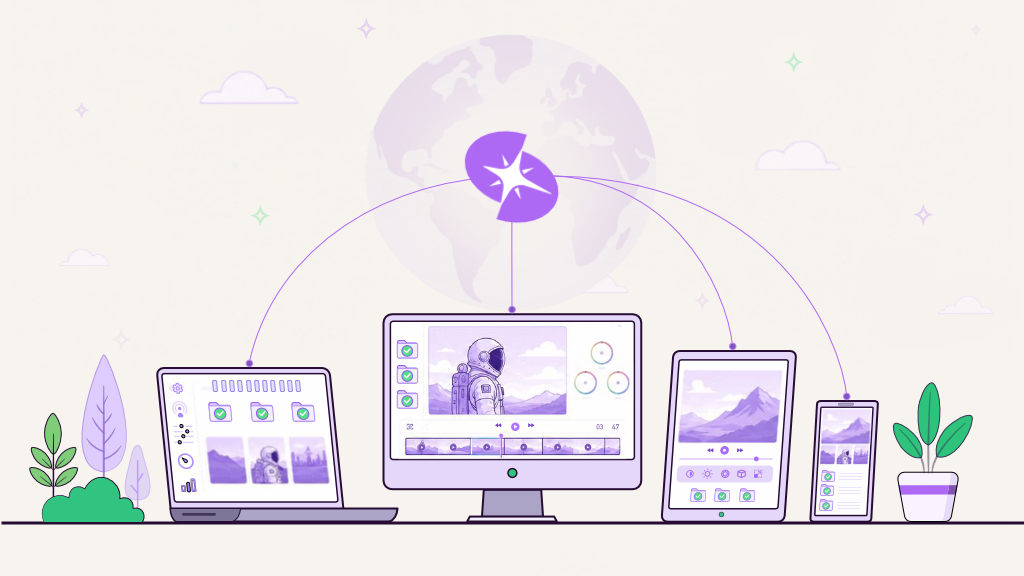
The latest technology you need is already within your reach
Now you really can work from anywhere.

Loved by artists, innovators and tech-wizards at:






Reap the benefits of a virtual workstation
We believe everyone deserves to experience the latest and greatest technology to supercharge creativity. Spark Cloud Studio simplifies the virtual machine experience by placing a secure computer in the cloud that feels local, so you stay focused on your work instead of your hardware. Whether you are editing 4K video, iterating heavy simulations, building a remote PC to stream games, each Spark ProStation™ is entirely customisable and behaves like your own high-end computer, ready to go whenever you are.

Seamless integration
No need to learn new software. Spark Cloud Studio integrates with your existing workflow, storage and creative applications. Connect from Windows, macOS or Linux and treat your ProStation™ like a familiar personal computer.

Work from anywhere
With Spark Cloud Studio, you get on demand access to the latest GPUs and CPUs without the burden of ownership. Your ProStations™ live in the cloud and you, your work and team can live anywhere, with remote desktop support for multiple monitors when you need more screen space.

Eliminate hardware headaches
No more noisy towers under your desk, surprise repair bills or upgrade cycles. A Spark ProStation™ replaces a bulky streaming PC or office machine with reliable and secure computers that you can log into from any device. Anytime, anywhere.

Effortless scalability
Scale your ProStation™ VMs up for heavy shots, then scale down when you are reviewing or doing light tasks. Studios that used to buy racks of processors for on-premise setups can now spin up computing power on demand and shut them down when the job is done.

Pay-as-you-go efficiency
Stop paying for idle machines. Our on-demand pricing ensures you only pay for the resources you actually use, which keeps costs aligned with live work rather than guesses about future capacity.
Solutions for every
possible scenario
Spark ProStations are built for creative, technical and mixed workloads that need real high performance computing horsepower.

Video Editing & Motion Graphics

3D Design, VFX & Animation

Architectural Visualization & Engineering Simulations

Scientific Computing & AI Development

The best Windows, Mac or Linux VM
Spark ProStation™ vs
Personal Workstation
Traditional on-premise workstations struggle to keep up with modern computing needs. If you are comparing cloud computing vs on premise, it helps to look at the full picture. Relying on a fixed number and configuration of machines for every task leads to wasted resources, unnecessary expenses and scalability challenges. Hardware refresh cycles, maintenance and underutilised high end machines only add further inefficiencies.
Spark ProStations™ offer dynamic, pay as you go cloud based computing that adapts to real time workloads of any kind. Instead of investing in high end machines that sit idle for extended periods, ProStations™ can intelligently scale resources, serving lower cost and high performance computing power on-demand.


CPUs, GPUs, RAM, Storage, Motherboard etc.
repairs, upgrades, electricity, cooling etc.
The latest computing technology, on-demand
There is no need to invest large sums in hardware that quickly becomes obsolete. Choose your required level of power and pay for it by the hour. Each configuration acts as a fully configurable, secure and complete desktop PC, ready for video editing, 3D, simulations, development or remote testing. A virtual machine for every task. Build the best VM for Windows 10 or integrate a fully flexible Linux VM into your creative pipeline at a fraction of the cost.

 Windows:
 Linux:
Windows:
Linux:
Windows:
Linux:
Windows:
Linux:
Windows:
Linux:
Windows:
Linux:
Windows:
Linux:
Windows:
Linux:
Windows:
Linux:
Windows:
Linux:
Windows:
Linux:
Windows:
Linux:
Windows:
Linux:
Windows:
Linux:
Windows:
Linux:
Windows:
Linux:
Windows:
Linux:
Windows:
Linux:
Windows:
Linux:
Windows:
Linux:
Windows:
Linux:
Windows:
Linux:
Windows:
Linux:
Windows:
Linux:
Windows:
Linux:
Windows:
Linux:
Windows:
Linux:
Windows:
Linux:
Windows:
Linux:
Linux:
Windows:
Linux:
Windows:
Linux:
Windows:
Linux:
Windows:
Linux:
Windows:
Linux:
Windows:
Linux:
Windows:
Linux:
Windows:
Linux:
Windows:
Linux:
Windows:
Linux:
Windows:
Linux:
Windows:
Linux:
Windows:
Linux:
Windows:
Linux:
Windows:
Linux:
Windows:
Linux:
Windows:
Linux:
Windows:
Linux:
Windows:
Linux:
Windows:
Linux:
Windows:
Linux:
Windows:
Linux:
Windows:
Linux:
Windows:
Linux:
Windows:
Linux:
Windows:
Linux:
Windows:
Linux:
Windows:
Linux:
We offer volume discounts to teams and studios of all sizes with a minimum commitment.
Contact our sales team for personalized pricing.

Frequently Asked Questions (FAQs)
Find clear answers to common questions about cloud PCs, remote desktops and VMs, and about how Spark ProStations™ let you run any application on any OS, from anywhere.
How is a Spark ProStation™ different from a normal remote machine, workstation or VM?

A typical remote machine or VM is a fixed desktop in a data centre that you reach through a VDI client. You are usually stuck with whatever CPU, GPU and RAM it was given when it was created.
A Spark ProStation™ is a fully customisable cloud workstation. You choose the CPUs, GPUs, RAM and storage you need for each job and you can change that configuration as your workload changes.
Pricing is entirely pay as you go, so you only pay for the power you use, for as long as you use it. You can spin up as many ProStations™ as you like and you only pay for the ones that are running.
If you are comparing a cloud PC like Paperspace with a production workstation, we wrote that out here: Paperspace vs Spark for VFX and editorial.
Can I run Windows on a Mac, or Linux on a PC, with Spark ProStation™?
Yes. With a Spark ProStation™ you can run any OS from any OS. You can access a Windows, Linux or macOS desktop from a Mac, a PC, a Linux machine or even a tablet or phone! There is no need to juggle local emulators or complex virtual machine setups. You simply choose the ProStation™ you’ve created with the OS you need.
Can Spark ProStation™ handle heavy AI and ML workloads, or is it only for creative pipelines?
Spark ProStations™ can be used for all tasks, heavy or light. You have full control. Choose from a range of CPUs and GPUs, from entry level through to full-fledged HPC environments with GPU power for simulations, data science and AI model training. It is an easy way to explore high performance computing vs cloud computing in practice without buying and maintaining your own on-premise cluster.
Is a Spark ProStation™ better than running a Windows 10 VM on my local machine?
A local virtual machine shares the same laptop CPU, GPU and storage, so it is easy to hit limits with video, 3D or simulation work. When people search for the best VM Windows 10 options they usually find tools that are ideal for testing or light office tasks. A Spark ProStation™, on the other hand, runs on dedicated NVIDIA GPUs with fast NVMe storage, so your laptop becomes a control surface while all the heavy lifting happens in the cloud.
Do Spark ProStations™ support multiple monitor setups?
Yes. Spark ProStations™ support multiple monitors and other peripherals like digital pens, Wacom tablets and external hard drives, so you can spread your workspace across two or more screens just as you would on your personal machine. Many editors, compositors and developers use ProStations™ in remote desktop multiple monitor layouts for timelines, node graphs, consoles and reference views.
Are Spark ProStations™ good for Blender and other design, animation and VFX tools?
Yes. Spark ProStations™ are used daily for Blender, Maya, Houdini, Unreal Engine, After Effects, Nuke and other high-end design, VFX and animation applications. Whether you are rendering in Blender, matte painting in Photoshop or developing video game environments, characters and assets, you get smooth real-time viewport performance, faster renders and the option to scale up to more powerful GPUs when you need the extra firepower.
How are Spark ProStations™ different from traditional on premise workstations for a studio or lab?
With on premise machines you buy fixed hardware, wait for delivery, then live with that capacity until the next refresh. If demand spikes, you are stuck. You also keep paying for electricity, cooling, support and machines that sit idle between projects.With Spark ProStation™ you pay as you go, scale up or down per project and only pay for the hours you actually use. It gives you the control of a local workstation with the flexibility of cloud computing vs on premise infrastructure, often at a fraction of the total cost.If you would like to see the difference in real numbers, you can use our cost calculators to compare on premise spend with Spark Cloud Studio for your workstations, file storage and render farm.
Get started in seconds.
The future of high-performance computing is here. Spin up a ProStation, connect from any device anywhere in the world and you are ready to create.
Use it as your main workstation, as a secure hosted desktop for a specific project, or as a flexible streaming computer when you need extra power.
Dive in and start creating without limits.