
Invite

Add your team members
SparkOrgs™
Whether it’s two artists on a deadline or a hundred people across studios and time zones,
SparkOrgs™ gives you all the control you need to keep everything running without a dedicated IT department.
Invite people, control access, deploy approved workstations, organise shared storage and manage
your production environment from one central dashboard.
 Centralised Administration & Billing
Role-Based Access Control
Templated Workstation Deployment
Workgroup Isolation & Security
Project-Aware, Collaborative File Storage
Centralised Administration & Billing
Role-Based Access Control
Templated Workstation Deployment
Workgroup Isolation & Security
Project-Aware, Collaborative File Storage

One control layer
Scale your team from one artist to over a hundred in a few hours.
SparkOrgs™ provides the administrative backbone for modern production, allowing you to manage users, and configure customisable workstation templates, licensing, storage, and permissions.
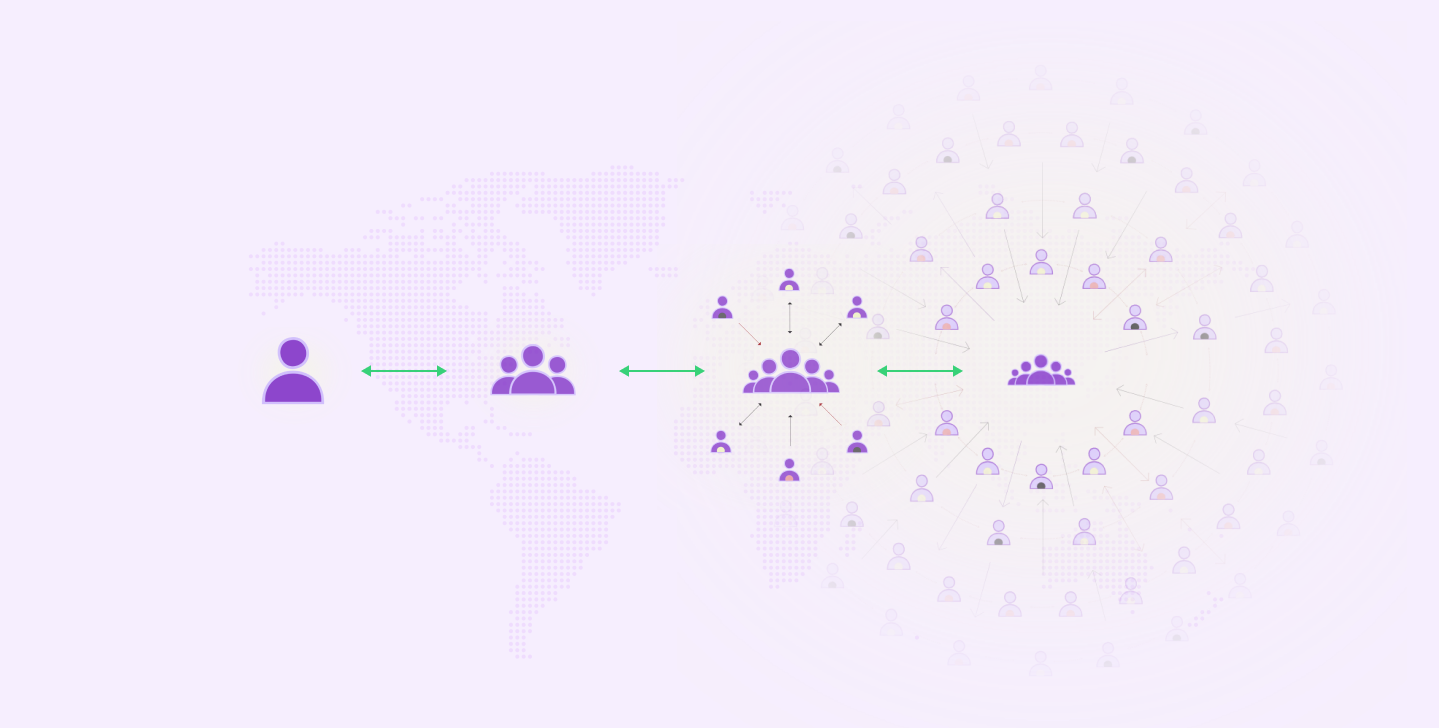
Invite
Add your team members
Assign

Define roles, access and resources
Deploy


Launch templates, and assign projects
Collaborate

Connect teams to project resources
Manage

Monitor usage and billing in real-time
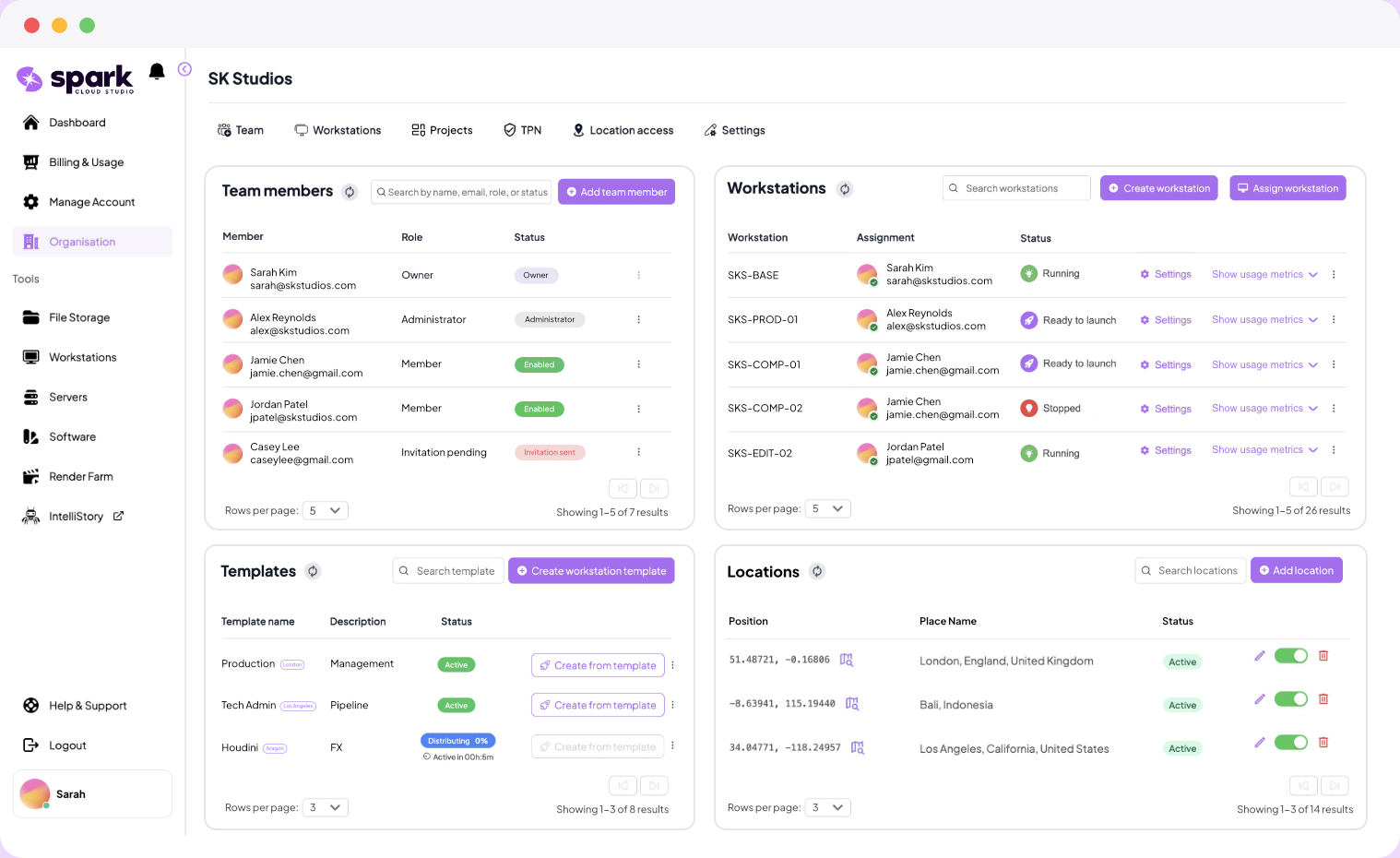
Inside SparkOrgs™
See who has access, what is running, where resources
are assigned, and what your organisation is spending. Manage members, templates,
permissions, and billing without leaving the dashboard.
 Manage multiple projects
Real-time usage & billing
Configurable & reusable templates
Set user access & permissions
Global location management
Manage multiple projects
Real-time usage & billing
Configurable & reusable templates
Set user access & permissions
Global location management
Why SparkOrgs™?

Built by people who’ve run productions for 20+ years, not cloud engineers. Spark was designed by production veterans who know what it takes to deliver on a deadline.

Spark exceeds industry standards (TPN and beyond) with private network segments, zero-knowledge encryption, and site-to-site VPN capabilities.

Onboard an animator in Tokyo, a compositor in Cape Town, or a lighter in London, and each gets a machine instantly, tailored to their role and connected to the rest of the team

Easily invite, onboard, and manage team members across multiple projects with role-based access, permission management and MFA.

Create and deploy approved workstation templates so every team member gets a consistent, production-ready environment along, tailored to their role and task.

Each project gets its own isolated space, permissions, and access controls under a single billing line, while the team gets truly infinite storage that can be mounted as a local drive.

Keep clients, teams and internal departments logically separated with secure work-groups, custom permissions, and fully secure and controlled access to resources.

See spend by project, workgroup, or individual machine in real time. No end-of-month surprise invoices. Producers love it. Finance teams love it even more.
Protection on every level
SparkOrgs™ brings identity, access, workstation and storage controls into one organisation-level environment, helping teams operate within demanding content-security workflows.

 Organisation-wide MFA
Multiple role assignment
Real-time access control
User session controls
USB Policies
Auto-inactivity shutdown
Organisation-wide MFA
Multiple role assignment
Real-time access control
User session controls
USB Policies
Auto-inactivity shutdown
 End-to-end encryption
Private project spaces
Work-group separation
End-to-end encryption
Private project spaces
Work-group separation
 Private subnets
Site-to-site VPN tunnels
IP monitoring
Private subnets
Site-to-site VPN tunnels
IP monitoring
SparkOrgs™
Find clear answers to common questions about centralised team management, role-based access, workstation templates, shared storage, security settings, and how SparkOrgs™ helps global production teams stay organised from anywhere.

SparkOrgs™ is Spark Cloud Studio's central management layer designed for teams and projects. It gives studios, production teams, agencies, labs and creative companies one place to manage users, workstations, templates, storage, permissions and billing. It is built for any team that needs more than one person or one machine, from two artists sharing assets on a deadline to a larger organisation running multiple projects across locations. You can start small, then scale your users, machines and storage as the work grows.
Yes. SparkOrgs™ lets you invite team members, assign roles, manage access, create and assign workstations, and deploy approved workstation templates from one central dashboard. For repeatable workflows, Spark provides API access for integration and automation, so teams do not have to rebuild the same process by hand every time.
Yes. SparkOrgs™ is designed to help teams set up, manage and scale multiple projects across Spark Cloud Studio, each with its own users, workstations, storage and access controls. Instead of scattering usage across individual accounts and machines, SparkOrgs™ brings all project activity into one administrative view, so you can see what is running, who is using it, and how resources are being used across each project.
Yes, it includes organisation-level settings for security, access and operational control. You can enforce stronger authentication through MFA, manage how users access shared resources, and apply organisation-wide controls designed for production environments. It gives owners and admins a cleaner way to keep access secure without manually policing every user.
Yes. SparkOrgs™ is purpose-built for distributed teams, client separation and project-based control. You can keep clients, departments or workgroups logically separated, manage access from one place, and give remote artists or team members the resources they need without tying everyone to the same office, server room or internal IT setup.